How (and why) to program, part 1

This entry is part 1 of 2 in the series How (and why) to program

This puzzle is a ripe one for solving (some might say cheating at…) by computer. All we need is a list of four-letter words and a way to test every combination of words in the grid for validity; so let’s get to it.

This entry is part 1 of 2 in the series How (and why) to program

On May 15th, listeners to the NPR program Weekend Edition were given this challenge by puzzlemaster Will Shortz:

Create a 4-by-4 crossword square with four four-letter words reading across and four different four-letter words reading down. Use the word “nags” at 1 across and the word “newt” at 1 down. All eight words must be common, uncapitalized words, and all 16 letters must be different.

Here is the starting grid as described by Will Shortz:

1 N 2 A 3 G 4 S
5 E
6 W
7 T

This puzzle is a ripe one for solving (some might say cheating at…) by computer. All we need is a list of four-letter words and a way to test every combination of words in the grid for validity; so let’s get to it. For this example I will use the Python programming language for its conciseness and readability.

First, the list of words. On Linux and Mac OS X (and most other Unix-based operating systems) there is a file called /usr/share/dict/words, or sometimes /usr/lib/dict/words or /usr/dict/words, which is nothing but a more-or-less comprehensive list of English words, one per line. We’ll read that file to get our list of four-letter words, discarding words that are shorter or longer. In fact, since we know that every word in the grid begins with the letters in NEWT and NAGS — namely, N, E, W, T, A, G, and S — we can even discard four-letter words not beginning with one of those seven letters. And we can discard N words too, because NEWT and NAGS are already given; we don’t need to search for N words. The words we keep will be stored in six different “sets,” one for each of the six remaining starting letters.

Here’s the first section of our code: creating our six empty word-sets and giving each one a name.

a_words = set()
g_words = set()
s_words = set()
e_words = set()
w_words = set()
t_words = set()

Now to get the words we want out of the “words” file. First we “open” the file to get a special placeholder we’ll call wordlist.

wordlist = open('/usr/share/dict/words')

We’re going to read one line of the file at a time. The placeholder remembers our position in the file in between reads.

To read one line of the file at a time and do something with it, we’ll write a “loop” that begins like this:

for word in wordlist:
  ...stuff...

This will do stuff once for each line of the file, with word referring to the contents of that line. Unfortunately the first line of that stuff is a necessary but confusing bookkeeping detail:

for word in wordlist:
  word = word[:-1]
  ...more stuff...

This confusing bit of code is here because each line of the file — each line of every file, in fact — ends with an invisible “newline” character that means “this line is over, start a new one.” Since we want to deal only with the visible content of the line while doing more stuff, we need to discard that newline character, and

word = word[:-1]

is how you do that. (For our purposes right now it’s not terribly important how that works, but you can read it roughly as, “replace word with everything-in-word-except-the-last-character.”)

We’ll begin more stuff with a test to make sure that the word we’re looking at is four letters long:

for word in wordlist:
  word = word[:-1]
  if len(word) == 4:
    ...the rest of the stuff...

Here, len(word) means “the length of word” (i.e., the number of characters it contains), and == is for testing whether two things are equal. (A single = means “make this equal that,” as we’ve already seen a few times.) The rest of the stuff will only happen if len(word) is 4.

If it is 4, then we want to save the word in the correct set — either the set of A words, or the set of G words, etc. Here’s what the complete loop looks like:

for word in wordlist:
  word = word[:-1]
  if len(word) == 4:
    first_letter = word[0]
    if first_letter == 'a':
      a_words.add(word)
    elif first_letter == 'g':
      g_words.add(word)
    elif first_letter == 's':
      s_words.add(word)
    elif first_letter == 'e':
      e_words.add(word)
    elif first_letter == 'w':
      w_words.add(word)
    elif first_letter == 't':
      t_words.add(word)

After determining that len(word) was 4, we gave the name first_letter to the first letter of word (which is written as word[0], because most things in programming are counted beginning at 0 rather than at 1). We then tested first_letter to see if it was a, and added it to a_words if it was; if it wasn’t, we tested it to see if it was g, and added it to g_words if so; etc. The strange word elif appearing in the code above is simply Python’s abbreviation for “else if.”

If first_letter isn’t one of the six we care about — or if word isn’t 4 characters long to begin with — then nothing happens and we loop back around to the for word in wordlist line to get the next word.

After reading all the lines from wordlist, the loop exits and the program does whatever comes next, which is:

wordlist.close()

This is the way to say we’re finished using that placeholder and don’t need it anymore. Doing so releases resources, such as memory space, that the computer can now use for other purposes. (In a little program like this, that doesn’t matter much, so it’s OK to leave out wordlist.close(). But in large programs you can “leak” memory and other resources if you do things like fail to close files when you’re finished with them.)

OK. We’ve got our lists of candidate A words, G words, S words, E words, W words, and T words. Now the strategy will be to try every possible combination of A, G, and S words for 2, 3, and 4 Down; and then, for each of those possible combinations, check that the resulting words in 5, 6, and 7 Across make sense; and additionally that no letter is repeated anywhere in the grid.

To try every combination of A, G, and S words, first we start by trying every A word:

for a_word in a_words:
  ...stuff...

As we’ve already seen, this is a loop that will do stuff once for each entry in a_words (with a_word referring to that entry each time through the loop). Now if we nest another loop inside this loop, like so:

for a_word in a_words:
  for g_word in g_words:
    ...more stuff...

then more stuff will happen once for each possible combination of a_word and g_word. That is, first a_word will be aced (let’s say), and while a_word is aced, g_word will range from gabs to gyro; and when the g_words loop is finished, a_word will advance to aces, and g_word will again range from gabs to gyro, and so on though all the four-letter A words, each one running through all of the four-letter G words, like the digits of an odometer.

From that you should be able to guess that we need to nest another loop inside our nested loop, this one for the S words.

for a_word in a_words:
  for g_word in g_words:
    for s_word in s_words:
      ...test this combination...

Now to test this combination once for each possible combination of A word, G word, and S word. The first test is to see whether the words created by placing a_word in 2 Down, g_word in 3 Down, and s_word in 4 Down result in sensible words at 5 Across, 6 Across, and 7 Across.

Let’s construct the word at 5 Across — the E word — from the second letters of a_word, g_word, and s_word.

e_word = 'e' + a_word[1] + g_word[1] + s_word[1]

(Remember that counting the letters in a word begins at 0, so the second letter of each word is numbered 1.)

Let’s construct the W word and the T word the same way — w_word from the third letter of each Down word, and t_word from each Down word’s fourth letter.

w_word = 'w' + a_word[2] + g_word[2] + s_word[2]
t_word = 't' + a_word[3] + g_word[3] + s_word[3]

Now if a_word is ammo and g_word is gulp and s_word is shot, then e_word will be emuh, w_word will be wmlo, and t_word will be topt, which don’t make sense! But we can easily check whether the Across words make sense by seeing if they can be found in the e_words, w_words, and t_words sets that we created earlier. So:

for a_word in a_words:
  for g_word in g_words:
    for s_word in s_words:
      e_word = 'e' + a_word[1] + g_word[1] + s_word[1]
      w_word = 'w' + a_word[2] + g_word[2] + s_word[2]
      t_word = 't' + a_word[3] + g_word[3] + s_word[3]
      if e_word in e_words and w_word in w_words and t_word in t_words:
        ...remaining test...

If we get as far as the remaining test (which is to ensure that no letter is duplicated anywhere in the grid), we know that e_word and w_word and t_word are real words.

We can ensure no letter is duplicated by using another set called letters_used. The plan: go through the letters of each Down word one by one, checking whether the letter is in the set. If it’s not, then add it to the set and move to the next letter. If it is, then we’ve already seen that letter once and it’s duplicated.

We know the first Down word is newt, so we can create our set with those letters in it.

letters_used = set(['n', 'e', 'w', 't'])

(We could also have created this set like this:

letters_used = set()
letters_used.add('n')
letters_used.add('e')
letters_used.add('w')
letters_used.add('t')

which matches the way we created and used the other sets above, but the first way does the same thing more concisely.)

Now to use that set to find duplicates.

any_duplicates = False
for letter in a_word + g_word + s_word:
  if letter in letters_used:
    any_duplicates = True
    break
  else:
    letters_used.add(letter)

Here, break means “leave the loop immediately.” There’s no need to keep looping once we know there are duplicates.

By the time the loop finishes, either we’ve looped through all the letters and found no duplicates, or we exited the loop with break because we did find duplicates. We check any_duplicates to see which of those two things happened. If it’s True there were duplicates; but if it’s False then we’ve found a valid solution and can print it to display it to the user.

if any_duplicates == False:
  print a_word, g_word, s_word, e_word, w_word, t_word

To recap, here’s the complete program.

a_words = set()
g_words = set()
s_words = set()
e_words = set()
w_words = set()
t_words = set()

wordlist = open('/usr/share/dict/words')

for word in wordlist:
  word = word[:-1]
  if len(word) == 4:
    first_letter = word[0]
    if first_letter == 'a':
      a_words.add(word)
    elif first_letter == 'g':
      g_words.add(word)
    elif first_letter == 's':
      s_words.add(word)
    elif first_letter == 'e':
      e_words.add(word)
    elif first_letter == 'w':
      w_words.add(word)
    elif first_letter == 't':
      t_words.add(word)

wordlist.close()

for a_word in a_words:
  for g_word in g_words:
    for s_word in s_words:
      e_word = 'e' + a_word[1] + g_word[1] + s_word[1]
      w_word = 'w' + a_word[2] + g_word[2] + s_word[2]
      t_word = 't' + a_word[3] + g_word[3] + s_word[3]
      if e_word in e_words and w_word in w_words and t_word in t_words:
        letters_used = set(['n', 'e', 'w', 't'])
        any_duplicates = False
        for letter in a_word + g_word + s_word:
          if letter in letters_used:
            any_duplicates = True
            break
          else:
            letters_used.add(letter)
        if any_duplicates == False:
          print a_word, g_word, s_word, e_word, w_word, t_word

Put this program in a file named puzzle.py and run it with python puzzle.py. On my computer, /usr/share/dict/words contains 470 four-letter words starting with a, 359 starting with g, and 634 starting with s, and it took about two minutes and a quarter for this program to test all of the 470×359×634 combinations. (We could make this program much faster, but at the expense of clarity and simplicity.) In the end it produced this solution:

achy grip sumo ecru whim typo

which is the same solution that Will Shortz gave on the air a week later.

(Actually, my computer produced two solutions, because /usr/share/dict/words includes a lot of questionable junk in its quest to be comprehensive. The other solution was “achy goup sld. ecol whud typ.”)

Update: As a couple of friends have pointed out, the Mac OS X version of /usr/share/dict/words does not include all the words needed to find the solution! I ran mine on Linux, which does.

Ibid bugfixes

The current version of my backup tool ibid is 52. Since the last time I wrote about it, I’ve added a new option, –check-names, for when you can’t rely on device/inode pairs (e.g., when moving your files onto a new filesystem); and fixed some important bugs, including ones that created unnecessary duplicate backups of files and unnecessary “update” records.

Download ibid here.

What a decade and a quarter can do

Halloween, 1998: I take a weekend trip to San Diego with my girlfriend, Andrea, and a few other friends. Money’s tight, in part because I haven’t drawn a salary from my struggling startup company for over two years, but that’s OK: our friends, most of whom are graduate students, are all broke too, so we crash in the living room of a couple we’ve come to see. We visit the San Diego Zoo, where I meet and feed a baby giraffe. My friend Paul captures the event (and much else from the weekend) on an amazing new device: an SLR camera body that has been partially hollowed out and fitted with a digital sensor and a small LCD display on the back (since the prism is gone and the viewfinder no longer works). It’s borrowed from the university where he works, which custom-built it for about ten thousand dollars. He shares the resulting digital photos with the rest of us by putting them on his department’s web server, but only temporarily because they take up so much disk space that he has to delete them after a few weeks.


1.25 decades later: Andrea is now my wife. We visit San Diego again. Thanks in part to income from my startup company, we have the means to stay in a hotel, and not only to visit the San Diego Zoo but to spring for their Safari Park’s “Roar and Snore” overnight camping experience. For his part, Paul is now an Academy-Award-winning computer-graphics researcher. Digital cameras on a par with his custom-built experimental rig from 1998 can now be had for around a hundred bucks and are so ubiquitous that they’ve all but killed the consumer film business. Disk space, likewise, is cheap enough that the company I work for has made a lucrative business out of giving away essentially unlimited amounts of it for free. I meet and feed not one giraffe, but two…

…and two amazing people who didn’t even exist 1.25 decades ago feed some giraffes too.

Quitting time

On this date fifteen years ago, several employees of NCD Software, formerly Z-Code, resigned simultaneously. I was one of them.

Two years earlier, Z-Code’s founder, Dan, sold out to Network Computing Devices over the objections of most of his staff. NCD, whose line of business had no discernable overlap with Z-Code’s, proceeded to drive Z-Code and itself right into the ground. Dan was the first casualty, lasting only a few months after the merger. NCD’s CEO and top VP, informally known as “the Bill and Judy show,” followed not long after. A lot of clueless mismanagement ensued. The energy of our once terrific engineering team dissipated before our eyes. We tried to turn things around, to make our bosses understand (for instance) that you can’t just tell an e-mail software team to make their e-mail suite into one of those newfangled web browsers that the new CEO had heard so much about, or that if you don’t pay your salespeople a commission for selling the company’s software, they won’t sell the company’s software.

Each time management did something boneheaded, we convened a session of “The Alarmists’ Club,” which met at lunch over beers and tried to think of ways to effect change at NCD. After enough of those proved fruitless, our discussions turned to how we could do things better ourselves. And so some time early in 1996 we sought the advice of a Silicon Valley lawyer about how to leave NCD en masse with minimal legal repercussions. The bulk of the advice was to put off discussion of any new venture until after the separation was complete; and to be aware that NCD was liable to use veiled threats, emotional pleas, and vague promises in an attempt to get us not to leave.

On 14 February 1996, NCD did all these things. We had prepared our terse resignation letters, offering two weeks notice, and delivered them in the morning. Within a couple of hours, Mike Dolan, one of the bigwigs from NCD headquarters in Mountain View, made the trip to the Z-Code offices in Novato to meet with us individually.

I was not yet 30, and when Dolan, an industry veteran, leaned on me in our one-on-one meeting I was definitely cowed. But my co-resigners and I had coached one another on how to withstand exactly the sort of combined intimidation and guilt trip that I was now getting, and so I stuck to my guns, kept the pointless justifications to a minimum, and refrained from blame or recrimination.

We maintained our solidarity, and because NCD declined our offer of two weeks’ notice, that was our last day there. We left feeling victorious, though what exactly we had won was never clear, and our sense of triumph was tempered by having effectively sandbagged our erstwhile coworkers.

After enjoying a few days of freedom it was time to start planning our new enterprise. But that’s another story…

SIEVE

In a recent e-mail exchange with my friend Kurt, we were discussing the problem of orbital space junk and the difficulty of cleaning it up. It’s a subject we’ve batted around on and off for many years, wondering about a workable and economical solution but never managing to find one. It’s been in the news more lately, as the crisis has grown more acute and inventors have trotted out different proposals, each more outlandish than the last.

In the middle of this exchange, after years of coming up with nothing, I suddenly invented my own solution, an idea I now offer publicly as the second in my occasional save-the-world series. It’s called SIEVE: Scanning, Illuminating, Even Vaporizing Engines.

It involves deploying into low earth orbit thousands of semi-autonomous robots. Each SIEVE unit is small and light and costs no more than a few hundred dollars of off-the-shelf components. Specifically, these components:

  • A solar panel for power;
  • Gyros for orientation;
  • A radio for coordination with other SIEVE units;
  • A camera;
  • A simple computer;
  • A Mylar mirror; and
  • A small rocket engine.

Each unit, when in sunlight, is in one of three modes: Scanning, Illuminating, and Vaporizing.

In Illuminating mode, the unit orients itself so that the mirror reflects sunlight through a given volume of space.

In Scanning mode, the unit trains its camera on a region of space that other nearby units are Illuminating and searches for debris.

In Vaporizing mode, numerous units all aim their mirrors to shine sunlight on a piece of debris, one previously identified by Scanning and Illuminating units and whose orbital trajectory has been plotted. Focusing enough sunlight on the debris for a long enough time should heat it to the point of vaporizing. If the debris can be fully vaporized, great; it should be harmless in that form. If it can’t, it might still expel enough vapor to slow its orbit (a la the laser broom idea) to the point where it falls back into the atmosphere.

The rocket engine is only needed twice: once to insert the unit into a distinct orbit when initially deployed, and once to deorbit the unit at the end of its service life.

Care will have to be taken that the SIEVE robots do not themselves become hazards to space navigation. And that they don’t go into Michael Crichton mode, become sentient, and decide the Earth is a gigantic ball of debris.

Elbows deep

Last week I replaced my six-year-old home server (which serves this website among many other functions) with a newer, faster, quieter computer. Transferring all the data and functions was a considerable effort in system administration. For the record, here are the steps I had to take.

  1. Download Fedora 12 install-CD image.
  2. Burn Fedora 12 install CD.
  3. Shut down sendmail and Apache.
  4. Dump MySQL database contents.
  5. Dump Postgresql database contents.
  6. Bring up new computer with temporary hostname.
  7. Install Fedora 12 on new computer.
  8. Create user accounts.
  9. Copy all data from old computer to new, under /old tree.
  10. Shut down old computer (permanently).
  11. Take over old computer’s hostname and IP address.
  12. Restore firewall config from /old.
  13. Restore DNS config from /old, bring up DNS.
  14. Restore sshd config from /old, bring up sshd.
  15. Restore Maildir trees from /old.
  16. Restore IMAP server config from /old, bring up IMAP server.
  17. Restore sendmail config from /old, bring up sendmail.
  18. Restore WordPress environment from /old.
  19. Bring up MySQL, restore contents from MySQL dump.
  20. Bring up Postgresql, restore contents from Postgresql dump.
  21. Restore Apache config from /old, bring up Apache.
  22. Restore Mailman environment from /old, bring up Mailman.
  23. Bring up apcupsd.
  24. Add printer.
  25. Set up network printing.
  26. Set up NFS.
  27. Resume backups.

Naturally not everything went according to plan. So in addition to the steps above I also had to solve:

  • Why all of my domains but one could be resolved;
  • Why the firewall was getting reset at startup;
  • Why inbound mail was not flowing;
  • Why the Ethernet interface had the wrong parameters at startup;
  • Why the monitor would not go into power-save mode;
  • How to get the Flash plugin running under x86_64;
  • Why the DVD-RW drive wasn’t visible some of the time.

Throughout all this, I frequently had to pause to locate and install needed software packages and Perl modules that weren’t part of the default Fedora setup. For good measure I also had to replace an external hard drive that was about to fail. (Thanks for the warning, Palimpsest!)

Happily all these things are now done, except that the monitor issue is a bona fide bug in the xorg video driver (duly filed) that someone else will have to deal with. Until then I just have to remember to switch the monitor off when I walk away.

This may all sound like deep wizardry, but it doesn’t feel like it to me. Having spent a lifetime coping and communing with these sometimes-cantankerous machines, it’s just busywork. Then I think of the number of other people in the world who could do all of this single-handedly and I become impressed with myself.

Don’t dis “don’t be evil”

Dear Steve Jobs,

We have some Apple products in our household. Also, I’m an employee of Google.

“Don’t be evil” is not bullshit. I and a lot of my colleagues work there precisely because of that mantra, and many of us are prepared to pack up and leave if we ever discover Google straying meaningfully from it. Gratifyingly, opportunities arise often in which to apply “don’t be evil” to a business or engineering decision, and a culture of vigorous and principled internal debate helps to ensure we choose correctly. Not all cases are black and white, of course (though some are), and it’s possible to err, but on the whole we do pretty well, non-evil-wise, especially compared to, well, every other publicly traded technology company.

In short, I take your remark as a personal insult, not to mention a telling comment on your own sense of right and wrong and, by extension, that of your company. I would welcome a sincere retraction, failing which I will have to reconsider continuing to be an Apple patron.

Thanks,
– Bob

Ibid 2009

The last I wrote about my backup tool, ibid, was three years ago (here; earlier post here), but I’ve continued making refinements to it. Then it was at version 24; now it’s at version 47 (download it here). Here are the changes since then, minus the uninteresting ones:

  1. Add –maxfiles.
  2. Don’t use Storable for the complete record structure; apparently a stringified form gets constructed in memory before it’s written to the file, which is disastrous for very large records. Use a custom streaming serialization method instead. Also, detect and reject unknown record versions.
  3. Another major rewrite. This one does away with the old runtime data structures based on big, inefficient Perl hashes, replacing them with strings containing compact “pack”ed values. This change yields enormous runtime memory savings, which matters after a few hundred sessions and many tens of thousands of files have accumulated in your fileset record. Also fixed a few documentation bugs and eliminated some dead code.
  4. Rename options for greater consistency: –limit (-l) is now –maxbytes (-b); –files (-f) is now –maxfiles (-f).
  5. Report when one or the other limit (bytes or files) is reached.
  6. Add –prune-sessions option.
  7. Add new –single-file-size-limit option; renamed –maxbytes and –maxfiles to –session-size-limit and –session-files-limit, respectively. Switched from &foo() function-calling syntax to foo().
  8. Add a new history-entry type: zero-length (“empty”) files. These are recorded in the session record but not copied to the archive, to save overhead.
  9. Include <dev:ino> in –dump output when –verbose is supplied.
  10. Support a device-map file, $HOME/.ibid/.devmap, for tracking a filesystem when its device number changes.
  11. Document the .devmap file; add –trim-report; support “xz” compression of session files; support optional callbacks in foreach_name_history().
  12. Add another level of depth to the “target” path for each new power of 10 in the session number. So session 7311 is rooted at TARGET/FILESET/7000/300/7311, and session 29582 is rooted at TARGET/FILESET/20000/9000/500/29582. Path elements that would start with a 0 are omitted; e.g., session 4006 is rooted at TARGET/FILESET/4000/4006, not at TARGET/FILESET/4000/000/4006.
  13. Document –trim-report.

There’s still no home page for ibid, but at least now all ibid-related posts on my blog are grouped under the tag ibid.

Right move made

Before the iPhone and the Blackberry was the Sidekick, a.k.a. the Hiptop, the first mass-market smartphone and, for a while, the coolest gadget you could hope to get. Famously, and awesomely, the Hiptop’s spring-loaded screen swiveled open like a switchblade at the flick of a finger to reveal a thumb-typing keyboard underneath, one on which the industry still hasn’t managed to improve. Your Hiptop data was stored “in the cloud” before that term was even coined. If your Hiptop ever got lost or stolen or damaged, you’d just go to your friendly cell phone store, buy (or otherwise obtain) a new one, and presto, there’d be all your e-mail, your address book, your photos, your notes, and your list of AIM contacts.

The Hiptop and its cloud-like service were designed by Danger, the company I joined late in 2002 just as the very first Hiptop went on the market. I worked on the e-mail part of the back-end service, and eventually came to “own” it. It was a surprisingly complex software system and, like much of the Danger Service, required continual attention simply to keep up with rising demand as Danger’s success grew and more and more Sidekicks came online.

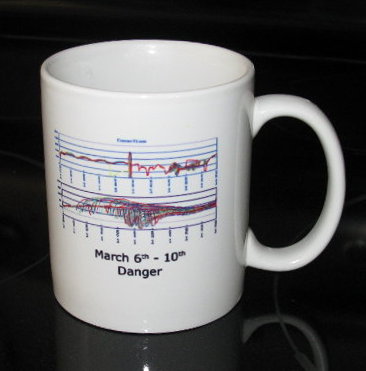
Early in 2005, the Danger Service fell behind in that arms race. Each phone sought to maintain a constant connection to the back end (the better to receive timely e-mail and IM notices), and one day we dropped a bunch of connections. I forget the reason why; possibly something banal like a garden-variety mistake during a routine software upgrade. The affected phones naturally tried reconnecting to the service almost immediately. But establishing a new connection placed a momentary extra load on the service as e-mail backlogs, etc., were synchronized between the device and the cloud, and unbeknownst to anyone, we had crossed the threshold where the service could tolerate the simultaneous reconnection of many phones at once. The wave of reconnections overloaded the back end and more connections got dropped, which created a new, bigger reconnection wave and a worse overload, and so on and so on. The problem snowballed until effectively all Hiptop users were dead in the water. It was four full days before we were able to complete a painstaking analysis of exactly where the bottlenecks were and use that knowledge to coax the phones back online. It was the great Danger outage of 2005 and veterans of it got commemorative coffee mugs.


The graphs depict the normally docile fluctuations of the Danger Service becoming chaotic

The outage was a near-death experience for Danger, but the application of heroism and expertise (if I say so myself, having played my own small part) saved it, prolonging Danger’s life long enough to reach the cherished milestone of all startups: a liquidity event, this one in the form of purchase by Microsoft for half a billion in cash, whereupon I promptly quit (for reasons I’ve discussed at by-now-tiresome length).

Was that ever the right move. More than a week ago, another big Sidekick outage began, and even the separation of twenty-odd miles and 18 months couldn’t stop me feeling pangs of sympathy for the frantic exertions I knew were underway at the remnants of my old company. As the outage drew out day after day after day I shook my head in sad amazement. Danger’s new owners had clearly been neglecting the scalability issues we’d known and warned about for years. Today the stunning news broke that they don’t expect to be able to restore their users’ data, ever.

It is safe to say that Danger is dead. The cutting-edge startup, once synonymous with must-have technology and B-list celebrities, working for whom I once described as making me feel “like a rock star,” will now forever be known as the hapless perpetrator of a monumental fuck-up.

It’s too bad that this event is likely to mar the reputation of cloud computing in general, since I’m fairly confident the breathtaking thoroughness of this failure is due to idiosyncratic details in Danger’s service design that do not apply at a company like, say, Google — in whose cloud my new phone’s data seems perfectly secure. Meanwhile, in the next room, my poor wife sits with her old Sidekick, clicking through her address book entries one by one, transcribing by hand the names and numbers on the tiny screen onto page after page of notebook paper.

Score one for the engineers

I’ve been asked about the reason for my low opinion of Microsoft. It isn’t just me of course — a lot of technologists regard Microsoft that way. Here’s an anecdote that illustrates why.


The year is 1993. No one’s ever heard of the World Wide Web. Few people have even heard of e-mail. Too often, when I explain my role at the e-mail software startup Z-Code to friends and relatives, I also have to explain what e-mail is in the first place.

Those who do know about e-mail in 1993, if transported to 2009, would not recognize what we call e-mail now. To them, e-mail looks like this:

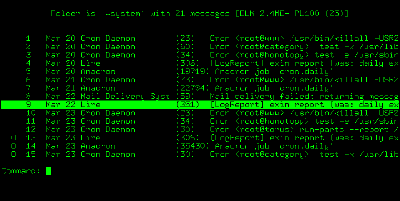
It’s all plain, unadorned text rendered blockily on monochrome character terminals. For the most part, variable-width, anti-aliased fonts are years in the future. Boldface and italic text exist only in the imagination of the reader of a message that uses ad hoc markup like *this* and _this_. Forget about embedded graphics and advanced layout.

However, in 1993 something has just been invented that will catapult e-mail into the future: the MIME standard, which permits multimedia attachments, rich text markup, and plenty more. Almost no one has MIME-aware e-mail software yet. Meanwhile, at Z-Code, we’re busy adding MIME capabilities to our product, Z-Mail. The capabilities are primitive: for instance, if we detect that a message includes an image attachment, we’ll launch a separate image-viewing program so you can see the image. (Actually rendering the image inline comes much later for everyone.)

The Z-Mail user is able to choose an auto-display option for certain attachment types. If you have this option selected and receive a message with an image attachment, your image-viewing program pops up, displaying the attachment, as soon as you open the message. (Without the auto-display option set, you explicitly choose whether or not to launch the viewer each time you encounter an image attachment.)

There comes the time that the marketing guy at Z-Code asks if we can add automatic launching of Postscript attachments, too. In 1993, Postscript is the dominant format for exchanging printable documents. (Today it’s PDF.) Turns out that a lot of potential Z-Mail users are technically unsavvy business types who exchange Postscript files often, jumping through tedious hoops to attach them, detach them, and print them out. Automatically popping up a window that renders a Postscript attachment right on the screen would be pure magic to them, changing them from potential Z-Mail users into actual Z-Mail users.

But there is a problem. Postscript files differ from image, sound, and other document files in one important respect: whereas those latter types of file contain static, inert data, requiring special programs to render them, Postscript files are themselves full-fledged computer programs. The Postscript renderer is just a language interpreter — like a computer within the computer, running the program described by the Postscript document.

Virtually every Postscript program — that is, document — is completely innocuous: place such-and-such text on the page here, draw some lines there, shade this region, and so on. But it’s perfectly conceivable that a malicious Postscript document — that is, program — can act as a computer virus, or worm, causing the computer to access or alter files, or use the network or CPU in mischievous ways without the user’s knowledge or approval.

So launching the Postscript interpreter with an unknown document is risky at any time. Doing so automatically — as the default setting, no less, which is what the marketing guy wanted — is foolhardy. (The reason it’s generally safe to send Postscript documents to Postscript printers — which include their own Postscript interpreters — is that unlike computers, printers do not have access to resources, like your files, that can be seriously abused.)

We, the Z-Code engineers, explain the situation and the danger. The marketing guy dismisses the possibility of a Postscript-based attack as wildly unlikely. He’s right, but we point out that adding the feature he’s asking for would make such an attack more likely, as word spreads among the bad guys that Z-Mail (a relatively widely deployed e-mail system in its time and therefore a tempting hacking target) is auto-launching Postscript attachments. Marketing Guy argues that the upside of adding the feature is potentially enormous. We say that one spam campaign containing viral Postscript attachments could cripple the computers of Z-Mail users and only Z-Mail users, a potential PR catastrophe. Marketing Guy says that our users don’t know or care about that possibility and neither should we. We say it’s our job to protect our users from their own ignorance.

The issue gets bumped up to Dan, our president, who is clearly leaning toward the marketing guy’s enormous potential upside. But after we vigorously argue the technical drawbacks of the plan and our responsibility to keep our users safe in spite of themselves, he goes with the suggestions from Engineering: do add a Postscript-launching option but turn it off by default, and educate users about the danger when they go to turn it on.


This is a run-of-the-mill example of the kind of tension that exists between Marketing and Engineering in all software companies. Issues like this arose from time to time at Z-Code, and sometimes Engineering carried the day, and sometimes Marketing did. It was a good balance: it took Marketing’s outlandish promises to keep Engineering moving forward, and it took Engineering’s insight and pragmatism to keep the product safe and reliable.

As an industry insider, my impression of Microsoft is that Marketing wins all the arguments, with all that that implies for the safety and reliability of their software.